
How it Works

Getting started

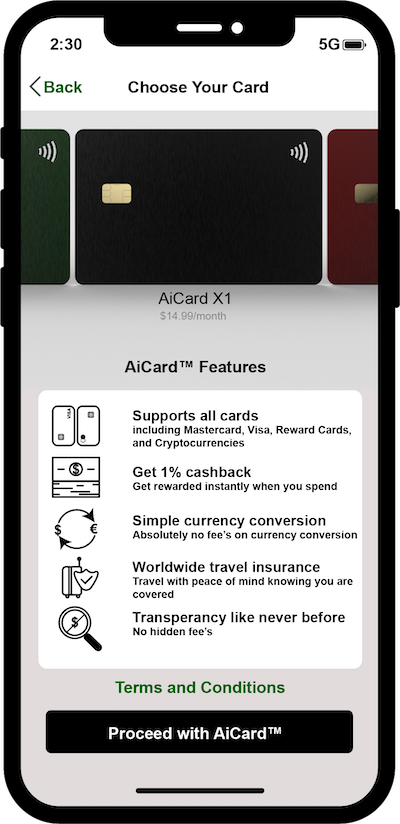
Download the AiCardTM app and choose which card you want to order.

Your AiCardTM should be with you within 3-4 business days.

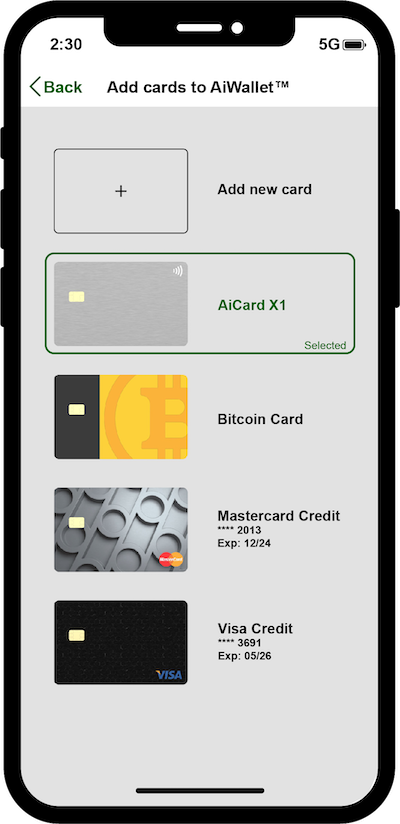
Adding your credit cards, debit cards, reward cards, bitcoins or any other major cryptocurrurries, etc. to your AiCardTM

  • Use the camera to scan and upload your card details automatically or enter them manually.
  • Add your cryptocurrency directly from any major crytocurrency trading platform's accounts such as Coinbase.
  • Repeat for any other cards or cryptocurrency accounts you want to add to your AiCardTM.

Activate your AiCardTM

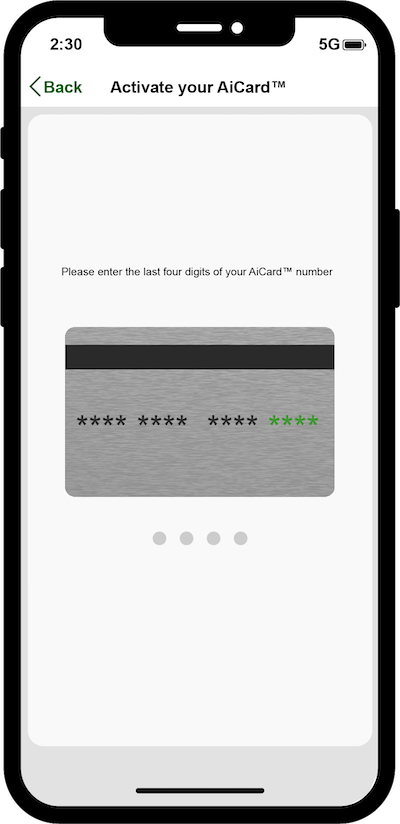
When your AiCardTM arrives, it's time to activate it in the app.

Simply go to the "Account" tab and tap "Activate your AiCardTM". You'll be asked to enter the last 4 digits of your AiCardTM, and it's ready to go. Once activated, your AiCardTM app allows you to specify how you want your AiCardTM to selet the best card (such as the best interest rate or best air travel rewards, etc.) automatically for you to use at any point of sales or you can set it to manual-select.

Paying with your AiCardTM

You've activated AiCardTM, added your other cards, selected your preference of lowest interest rates or/and most relevant reward cards, and now you're ready to pay. Simply swipe your AiCardTM at any point of sales, your AiCardTM will choose the best card to use automatically, whether you are at a restaurant, a gas station, or at a supermarket, etc.

Paying with AiCardTM on your phone

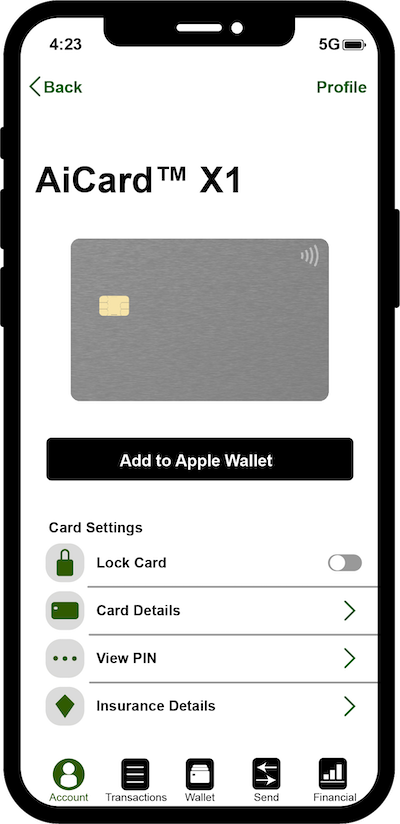
You can go totally card-free by hooking up your AiCardTM to Apple Pay, Google Pay, Samsung Pay, or coinbase account, etc. Any card you add to AiCardTM will work with the them, even if your bank doesn't - that's the kind of life spice we like.

Say hi to your AiCardTM Cash

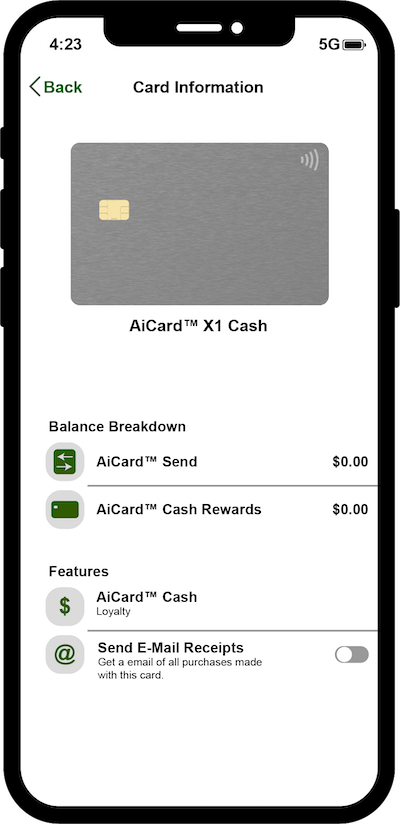
This is a virtual card in the AiCardTM app. Your balance is made up of your increased increased AiCard credit limit, money earned through cashback, promos, or referrals, and any money sent to you from other people on AiCardTM.

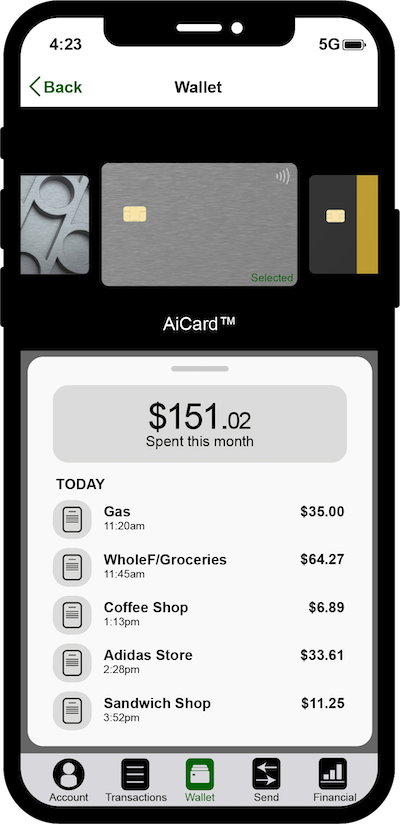
See what you've spent

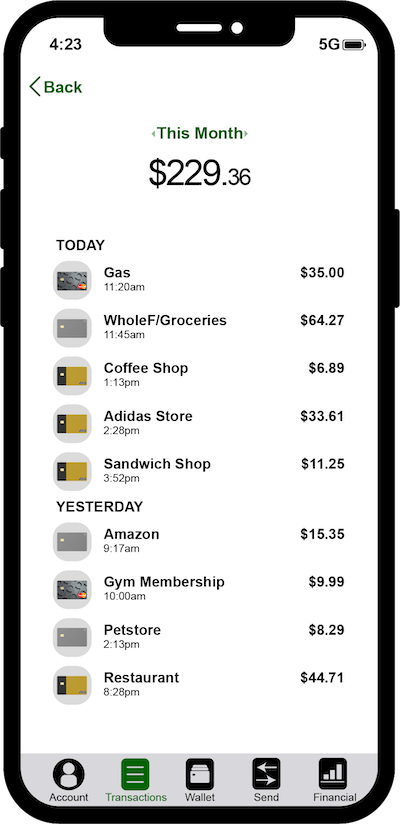
See what you're spending on all your accounts at once with AiCardTM app insights, alerts and notifications. Your AiCardTM timeline will show you what you've spent, when you've spent, and where you've spent it. You'll get (optional) notifications every time you spend, and you can go to "insights" on the app for a categorised breakdown of your spend across all your cards on AiCardTM.

Send money to friends

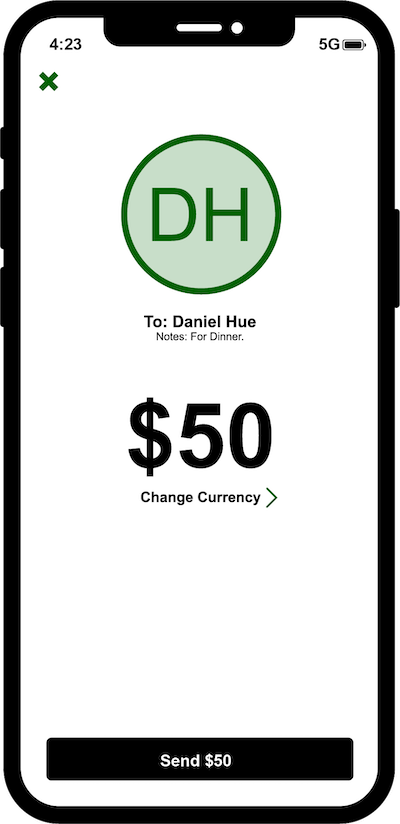
Send money to anyone else on AiCardTM with nothing more than their phone number. Head to 'Send' for a list of your friends on AiCardTM and send them money from any of your cards in your AiWalletTM. The money sent will instantly land in their AiCardTM Cash, where they can spend it right away.

No friends on AiCardTM platform?

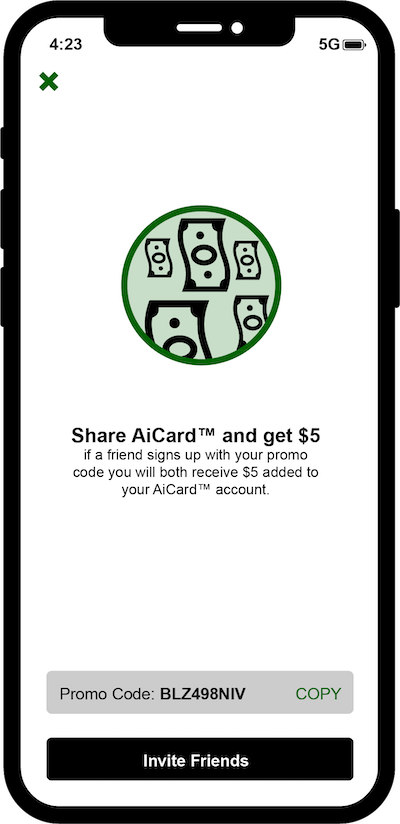
Let's change that! Invite them and you'll both get $5.

Share the love (and the cash) by opening the app, heading to profile in the accounts tab and tapping 'Share AiCardTM'. You'll both get $5 once they've spent using AiCardTM.

Lost your AiCardTM?

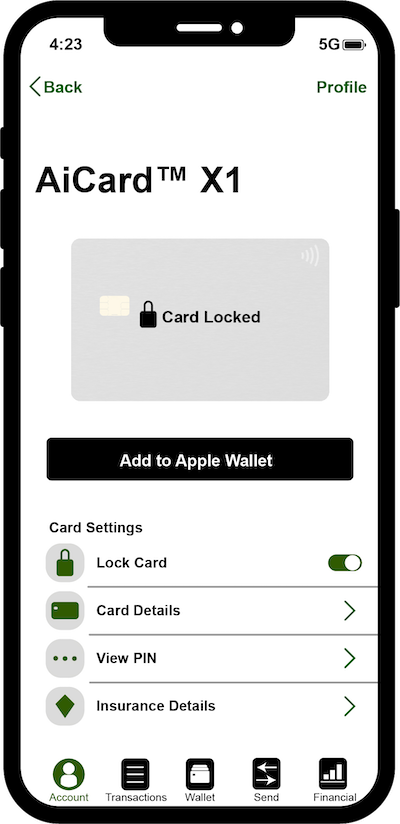
Lock it with a tap in the app. Protect all your cards with one single tap. Done.

How it Works

Getting started

Download the AiCardTM app and choose which card you want to order.

Your AiCardTM should be with you within 3-4 business days.

Adding your credit cards, debit cards, reward cards, bitcoins or any other major cryptocurrurries, etc. to your AiCardTM

  • Use the camera to scan and upload your card details automatically or enter them manually.
  • Add your cryptocurrency directly from any major crytocurrucy trading platform's accounts such as Coinbase.
  • Repeat for any other cards or cryptocurrency accounts you want to add to your AiCardTM.

Activate your AiCardTM

When your AiCardTM arrives, it's time to activate it in the app.

Simply go to the "Account" tab and tap "Activate your AiCardTM". You'll be asked to enter the last 4 digits of your AiCardTM, and it's ready to go. Once activated, your AiCardTM app allows you to specify how you want your AiCardTM to selet the best card (such as the best interest rate or best air travel rewards, etc.) automatically for you to use at any point of sales or you can set it to manual-select.

Paying with your AiCardTM

You've activated AiCardTM, added your other cards, selected your preference of lowest interest rates or/and most relevant reward cards, and now you're ready to pay. Simply swipe your AiCardTM at any point of sales, your AiCardTM will choose the best card to use automatically, whether you are at a restaurant, a gas station, or at a supermarket, etc.

Paying with AiCardTM on your phone

You can go totally card-free by hooking up your AiCardTM to Apple Pay, Google Pay, Samsung Pay, or coinbase account, etc. Any card you add to AiCardTM will work with the them, even if your bank doesn't - that's the kind of life spice we like.

Say hi to your AiCardTM Cash

This is a virtual card in the AiCardTM app. Your balance is made up of your increased increased AiCard credit limit, money earned through cashback, promos, or referrals, and any money sent to you from other people on AiCardTM.

See what you've spent

See what you're spending on all your accounts at once with AiCardTM app insights, alerts and notifications. Your AiCardTM timeline will show you what you've spent, when you've spent, and where you've spent it. You'll get (optional) notifications every time you spend, and you can go to "insights" on the app for a categorised breakdown of your spend across all your cards on AiCardTM.

Send money to friends

Send money to anyone else on AiCardTM with nothing more than their phone number. Head to 'Send' for a list of your friends on AiCardTM and send them money from any of your cards in your AiWalletTM. The money sent will instantly land in their AiCardTM Cash, where they can spend it right away.

No friends on AiCardTM platform?

Let's change that! Invite them and you'll both get $5.

Share the love (and the cash) by opening the app, heading to profile in the accounts tab and tapping 'Share AiCardTM'. You'll both get $5 once they've spent using AiCardTM.

Lost your AiCardTM?

Lock it with a tap in the app. Protect all your cards with one single tap. Done.